Many models, one composer
Seedance, Kling, Wan, Minimax and more. Switch models per shot without rewriting the prompt.
Write the scene, call characters and locations with @TAG, add reference images. Studio renders a 9:16 video with the model you pick and shows the price before you press Generate.
Every video below was made in Aixxxe Studio. See the prompt, model, length and price behind it. Then make your own.
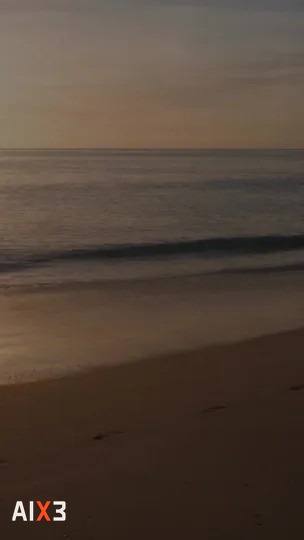
A calm ocean wave rolls onto a quiet sandy beach at golden hour. Slow push in, soft natural light, gentle sea foam, no people.
by Tim AixxxeNo editing skills needed. Sign up, top up what you need, then type your idea. Your first video can be ready in minutes.
No complicated timeline. The elements you save today work again in the next shot.
Upload characters, locations and props once. Each element gets a tag you can call in any shot.
Type @ to call an element. Studio lines up its reference images in order, then you pick the model, duration and resolution.
The price shows before you press Generate. Follow the progress in the queue, then download the video when it is done.
The composer, the element library and the render queue share one page. No switching between apps.
Seedance, Kling, Wan, Minimax and more. Switch models per shot without rewriting the prompt.
480p, 720p or 1080p, with the durations each model offers. The price updates every time you change a setting.
Make up to four versions of one prompt at once, then keep the best one.
Characters, locations and props are saved per workspace. Consistent from the first episode to the last.
See each stage as it happens: queued, render percentage, then the file ready to download.
A render failed or was cancelled? The credits return to your balance, no claim needed.
The full list, with durations, resolutions and the price of every combination, is shown in Studio.
2.0 · 2.5 · Multi-reference
3.0 Pro · Text · image → video
3.0 · Text · image → video
H3 · Text · image → video
Video · Text · image → video
Flash · Text · image → video
Motion · Photo + reference video
Resolution · Sharpen finished renders
Work out your video's price
It depends on the model, duration and resolution. No hidden costs.
Your balance stays in your account until you use it.
If a render fails or is cancelled, the credits come back automatically and are recorded.
QRIS, e-wallet, bank transfer or card. No subscription. 1 credit = Rp1.
Still unsure? Open Studio and try the composer; the price shows before you pay anything.
Studio is the workspace at aixxxe.com/studio for making videos with AI. You write a prompt, add reference images or @TAG elements, pick a model, and Studio sends it to the render server and shows the progress until the video is ready to download. Aixxxe is spelled with three x's (aixxxe.com); the logo reads AIX3.
An element is a character, location or prop you save with its reference image, for example @ZARA_05 or @LOC_17. Type its tag in the prompt and Studio includes the right images in order, so a character looks the same from shot to shot.
Every model runs on one of 4 servers. When one server is busy or under maintenance, the same or a similar model is usually still available on another, so you do not have to wait or switch apps. The server and its price show in the model picker.
Model providers sometimes reject prompts that are actually safe, such as ordinary fictional scenes. The Studio adds a note to your prompt that every character is a fictional, AI-made persona, so wrong rejections happen less often. Content that is really not allowed is still refused, and credits for a refused render come back.
The price is per video and depends on the model, duration and resolution, from 3,700 credits. 1 credit = Rp1. The total always shows on the Generate button before you confirm.
Open Account, pick a package (Rp10,000 to Rp500,000) or type your own amount, then pay on the Midtrans payment page with QRIS, GoPay, ShopeePay, bank transfer (virtual account) or a credit card. Credits arrive automatically once the payment is confirmed, usually within seconds; manual QRIS payments arrive after an admin verifies them. 1 credit = Rp1.
The credits go back to your balance automatically, once for every render that fails or is cancelled. Every charge and refund is recorded in your credit history.
No. Credits you top up have no expiry date and can be used any time.
Yes. Choose a batch of 1 to 4 in the composer and Studio makes several versions of the same prompt. They all join the queue and can be followed one by one.